

Interface of fire alarm system with Building Management System.
Fire Alarm Integration with BMS (Building Management System) is the process of connecting a building’s fire alarm system with its central building management platform. This integration allows facility managers and building operators to monitor fire alarm conditions, receive emergency notifications, and coordinate essential building systems from a centralized interface.
A Fire Alarm System detects fire-related conditions through smoke detectors, heat detectors, manual call points, and other initiating devices. A Building Management System (BMS) monitors and manages building services such as HVAC, ventilation, access control interfaces, elevators, and other connected equipment.
When these systems are integrated correctly, a fire alarm signal can trigger predefined emergency responses, such as shutting down air-conditioning units, controlling smoke ventilation, releasing designated access-controlled doors, or sending status information to the BMS operator workstation.
Fire alarm integration with BMS is commonly used in commercial buildings, hospitals, hotels, shopping malls, industrial facilities, offices, and large residential complexes.
Fire alarm integration works by exchanging selected alarm, fault, supervisory, and system-status information between the fire alarm control panel and the BMS.
The integration process generally follows these steps:
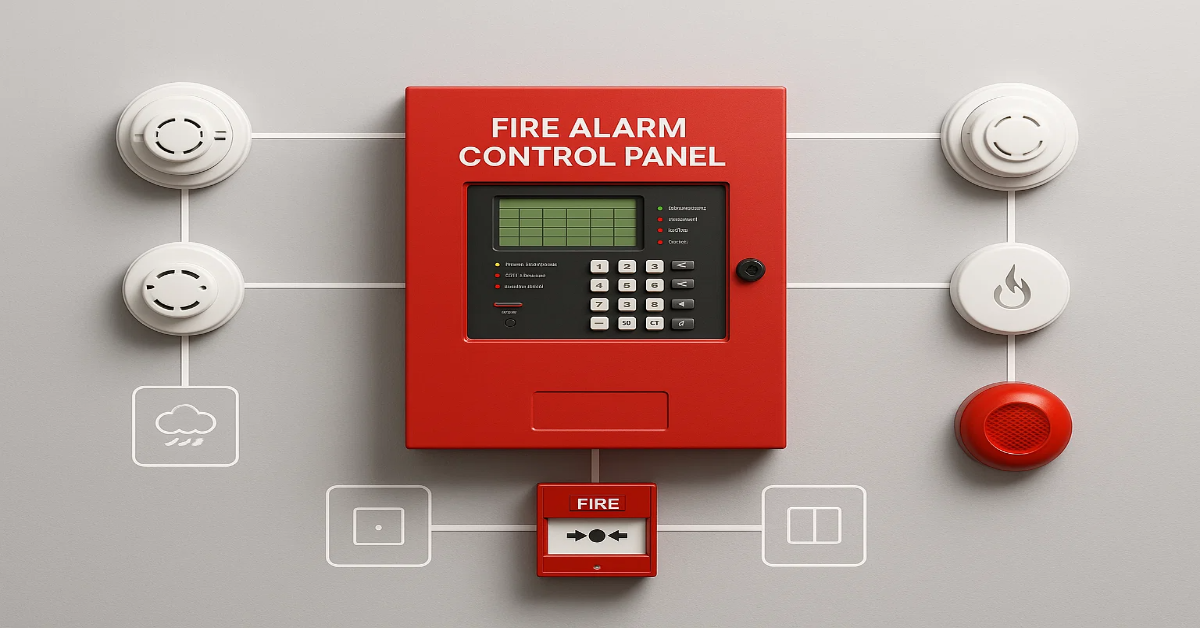
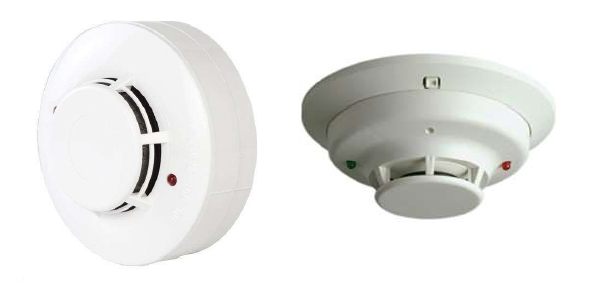
Fire Detection: Smoke detectors, heat detectors, manual call points, or other fire detection devices identify a potential fire condition.
Alarm Processing: The fire alarm control panel receives the signal and processes it according to the system configuration.
Signal Transmission: The fire alarm panel communicates relevant information to the BMS through approved interfaces, communication gateways, or hardwired contacts.
BMS Monitoring: The BMS displays the alarm status, location, and other available information on the operator workstation.
Emergency Response: Where the design permits, configured control interfaces initiate appropriate actions in connected building systems.
Event Recording: The BMS may record alarm events, timestamps, and system status changes for monitoring and reporting.
The exact operation depends on the fire alarm panel, BMS platform, communication protocol, system design, and applicable fire safety regulations.
The Fire Alarm Control Panel (FACP) is the central unit responsible for receiving signals from fire detection devices, processing alarm conditions, and controlling fire alarm outputs. It provides the fire event information required for integration with the BMS.
The BMS is a centralized platform used to monitor and manage building services. After integration, it can display selected fire alarm events and the status of connected equipment.
A communication gateway enables data exchange between the fire alarm system and the BMS when their native communication interfaces or protocols differ. The gateway must be compatible with the connected systems and configured for the required data points.
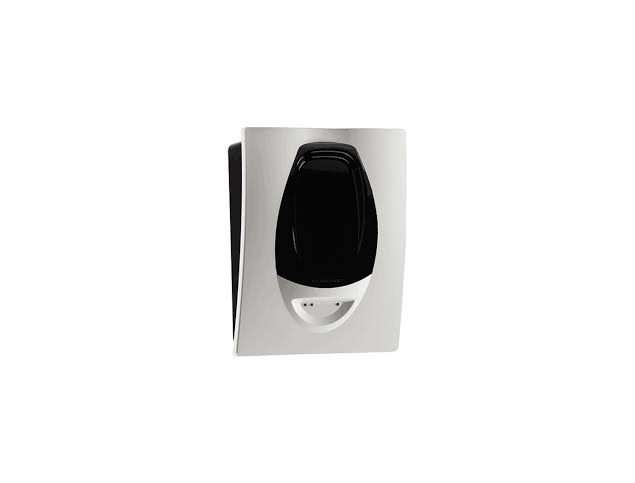
Interface modules and relay contacts provide communication between the fire alarm system and external equipment. Depending on the design, they may be used to transmit alarm signals or initiate approved control functions.
Depending on the equipment, integration may use hardwired signals or supported communication protocols such as BACnet or Modbus through a compatible interface or gateway. The protocol and available functions depend on the manufacturers and approved system architecture.
The operator workstation displays fire alarm events and connected equipment status. It can help facility teams identify the reported zone or device, review events, and coordinate their response.
Hardwired integration uses relay contacts or dedicated input/output interfaces to exchange selected signals between the fire alarm panel and the BMS.
Advantages:
Simple and widely used for basic status monitoring
Suitable for transmitting selected alarm and fault signals
Can reduce dependence on complex data communication
Easy to understand during troubleshooting
This approach may be appropriate when only a limited number of signals need to be shared.
Protocol-based integration uses a compatible communication interface or gateway to exchange more detailed information between the fire alarm system and the BMS.
Advantages:
Can support a larger number of monitored points
May provide device, zone, and event details
Can simplify centralized monitoring in large facilities
May reduce the need for individual hardwired status connections
The level of detail and supported functions must be verified with the manufacturers.
Gateway-based integration connects systems that use different communication protocols or data formats. A gateway translates information into a format the receiving system can understand.
Advantages:
Helps integrate equipment from different manufacturers
Supports centralized monitoring of compatible systems
Can provide flexibility in large building projects
Allows selected information to be exchanged across different platforms
Gateway configuration, compatibility, and failure handling should be considered during design.
Fire Alarm Integration with BMS can support several monitoring and coordination functions, depending on the approved design.
The BMS can display fire alarm events received from the fire alarm control panel. This helps facility personnel identify that an alarm condition has occurred and take appropriate action.
Where supported, the BMS can display selected fire alarm system faults, communication problems, and other trouble conditions. This helps maintenance teams identify issues requiring investigation.
When required by the approved fire strategy, fire alarm signals can initiate shutdown of selected air-handling units or ventilation equipment to help prevent the spread of smoke through air distribution systems.
In buildings with engineered smoke control systems, the fire alarm system may coordinate with smoke exhaust fans, smoke dampers, or pressurization equipment. These functions must follow the approved fire strategy and applicable codes.
A fire event may initiate the release of designated access-controlled doors where required by the life-safety design. The arrangement must preserve safe egress and comply with applicable building and fire safety requirements.
The fire alarm system may initiate designated elevator recall or other fire-related elevator functions through approved interfaces. These functions must be designed in coordination with the elevator controller and relevant standards.
The BMS may maintain a record of received alarm events, equipment status changes, and operator acknowledgements. This information can support incident reviews and maintenance reporting.
Important: The BMS should not replace the dedicated fire alarm control panel or serve as the sole means of fire alarm notification. Fire detection, alarm processing, occupant notification, and required life-safety functions must remain compliant with the applicable standards and approved fire safety design.
Integrating a fire alarm system with a BMS can improve building monitoring and operational coordination.
Facility operators can monitor selected fire alarm information alongside other building systems through a centralized interface.
Displaying alarm information and available location details can help staff understand where an event has been reported and coordinate an appropriate response.
The integration can coordinate predefined responses among fire alarm, HVAC, smoke management, access control, and elevator systems where supported and approved.
Selected fault and trouble signals can help maintenance personnel identify problems and plan inspections or corrective work.
Centralized event logs can support incident documentation, system reviews, and maintenance activities.
A unified monitoring platform can reduce the need to check multiple independent interfaces for routine building status information.
Fire Alarm Integration with BMS is useful in buildings where multiple services must be monitored and coordinated.
Office towers and commercial complexes use integration to centralize building monitoring and coordinate selected emergency functions.
Hospitals may use BMS integration to monitor fire alarm information while coordinating ventilation and other building services according to approved emergency procedures.
Hotels can benefit from centralized monitoring across guest rooms, service areas, kitchens, and public spaces.
Large retail facilities can use integration to monitor fire alarm events and coordinate selected HVAC, smoke control, and access-related functions.
Factories and warehouses may integrate fire alarm status with building monitoring platforms to improve visibility across production, storage, and utility areas.
Large transportation buildings can use centralized monitoring to coordinate building services and manage emergency information across multiple zones.
High-rise residential buildings and mixed-use developments may use integration to support monitoring and coordination across shared building services.
| Feature | Standalone Fire Alarm System | Fire Alarm Integrated with BMS |
|---|---|---|
| Primary purpose | Fire detection and alarm functions | Fire alarm functions plus centralized building monitoring |
| Fire alarm control panel | Required | Required |
| Fire event display | At the fire alarm panel and connected annunciators | At the fire alarm panel and, where supported, the BMS |
| Monitoring of other building systems | Usually separate | Can be centralized on the BMS |
| HVAC coordination | Through dedicated approved interfaces where required | Can be coordinated and monitored through approved interfaces |
| Event logging | Fire alarm system records | Fire alarm records and potentially additional BMS event records |
| System complexity | Depends on the fire alarm design | Generally higher due to integration and interface requirements |
BMS integration adds monitoring and coordination capabilities; it does not remove the need for a compliant, independently functioning fire alarm system.
Proper installation and configuration are essential for reliable operation.
Review the building layout, fire alarm system, BMS architecture, connected equipment, and required monitoring or control functions.
Confirm that the fire alarm panel, communication gateway, BMS platform, and relevant equipment support the required interfaces and data points.
Prepare the integration architecture, cause-and-effect matrix, communication details, input/output schedule, and interface drawings.
Install the required gateway, interface modules, relay contacts, communication cabling, and other approved components according to the design and manufacturers' instructions.
Configure the relevant points, alarm descriptions, device or zone labels, priorities, event displays, and any approved control sequences.
Test alarm transmission, fault reporting, communication loss, equipment responses, and recovery conditions. Verify that each function operates as intended and that integration failures do not compromise required fire safety functions.
Document test results, provide operating instructions, train relevant personnel, and hand over system drawings, configuration records, and maintenance requirements.
Testing should verify both the fire alarm system and the behavior of the connected BMS interface.
Typical checks include:
Fire alarm signal transmission to the BMS
Correct zone, device, and event descriptions where supported
Fault and trouble signal reporting
Gateway and communication failure indication
Correct operation of approved HVAC or smoke control interfaces
Correct access control and elevator interface behavior where included
Restoration of systems after testing
Event logging, timestamps, and operator acknowledgement behavior
Confirmation that the fire alarm panel continues to operate correctly if the BMS or gateway becomes unavailable
Testing should be performed by qualified personnel in coordination with the relevant building-system contractors. Tests must be planned to avoid unintended disruption to occupied areas or essential building services.
Regular inspection and testing help ensure that the integration remains dependable throughout the building's operational life.
Recommended maintenance activities include:
Inspecting communication gateways and interface modules
Checking communication status and reported faults
Testing selected alarm and status points according to the maintenance schedule
Verifying the accuracy of device names, zone descriptions, and point mapping
Checking approved HVAC, smoke management, and other interface sequences
Reviewing event logs and investigating recurring communication faults
Backing up BMS configurations and integration settings
Updating system documentation after approved changes
Conducting periodic functional testing according to applicable codes and manufacturer recommendations
Maintenance frequency should be based on local regulations, system requirements, manufacturer guidance, and the building's fire safety plan.
Before implementing a BMS integration project, consider the following factors:
Ensure that the fire alarm panel and BMS support the required interface or gateway.
Confirm compliance with relevant local fire safety regulations, building codes, and applicable standards, including requirements governing fire alarm systems and life-safety interfaces.
The integration should be designed so that a BMS, network, or gateway failure does not disable essential fire alarm functions.
Identify whether the BMS needs general alarm status, zone-level information, individual device details, fault conditions, or other system information.
Define each required emergency response clearly and verify it against the approved fire strategy.
Where systems use IP networks or remote connections, apply appropriate network segmentation, access controls, secure configuration, and change management.
Consider whether the architecture can support future building extensions, additional monitoring points, or equipment upgrades.
Choose compatible equipment and qualified integration professionals who can provide commissioning, documentation, maintenance, and technical support.
Professional integration helps ensure that the fire alarm system, BMS, and connected building services work together according to the approved design.
An experienced fire safety and building automation team can help with system compatibility checks, integration design, interface installation, programming, functional testing, commissioning, and ongoing maintenance.
Correct integration supports centralized monitoring while preserving the independence and reliability of essential fire alarm functions.
Fire Alarm Integration with BMS is an important solution for modern buildings that require centralized monitoring and coordinated operation of multiple building services. By connecting a compliant fire alarm system with the Building Management System through approved interfaces, facility operators can monitor fire events, identify selected faults, and coordinate predefined emergency responses.
Successful integration depends on compatible equipment, careful system design, appropriate interface selection, accurate configuration, and comprehensive testing. Most importantly, the integration must follow the approved fire safety strategy and applicable regulations, ensuring that the BMS enhances building management without compromising fire detection, occupant notification, or other essential life-safety functions.
Centralized monitoring on BMS;
Automatic AHU / damper control;
Lift recall and door release;
Event logging;
Faster emergency response
| Parameter | Specification |
|---|---|
| Protocol | BACnet IP / Modbus RTU / TCP |
| Interface | Gateway or relay module |
| Points Monitored | Alarm, Fault, Zone status |
| Control Actions | AHU stop, damper close, lift recall |
| Cable | Shielded twisted pair |
| Compatibility | Major fire panel makes |
*Values vary by project and selected model — final specification is confirmed at the time of quotation based on site requirements.
Share your flow, head, and site details — we'll recommend the right model and configuration.
Request a Quote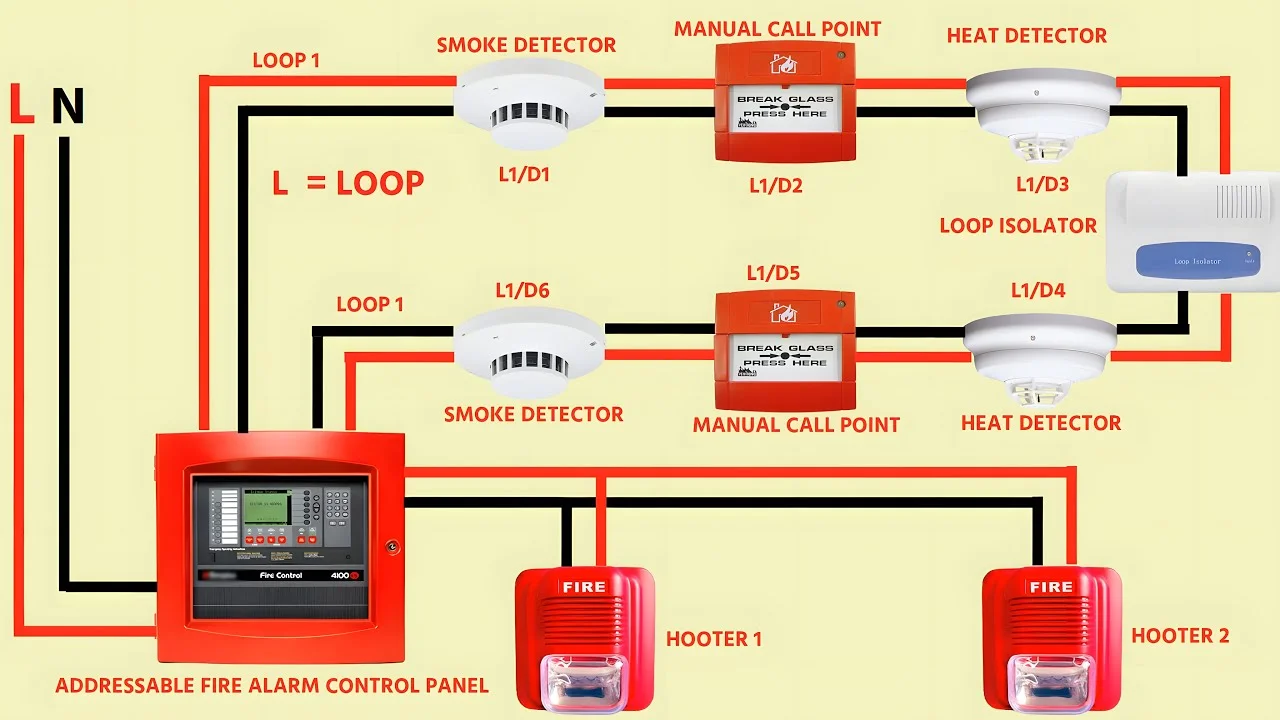
Description goes here...